This guide walks you through installing RKTracer on Windows. Download the RKTracer installer and the free trial license files, run the installer, and set up the license so the tool recognizes it.
In short
Download the installer and trial license, run the installer through to Finish, copy win.lic into the RKTracer installation folder, then run rktracer -version to confirm the license.
Download and run the installer
Follow these steps to download and install RKTracer on Windows.
- Download the RKTracer installer and the free trial license files. Right-click the installer and open it.
- When a security prompt appears, click more information, then Run anyway. Confirm the User Access Control prompt.
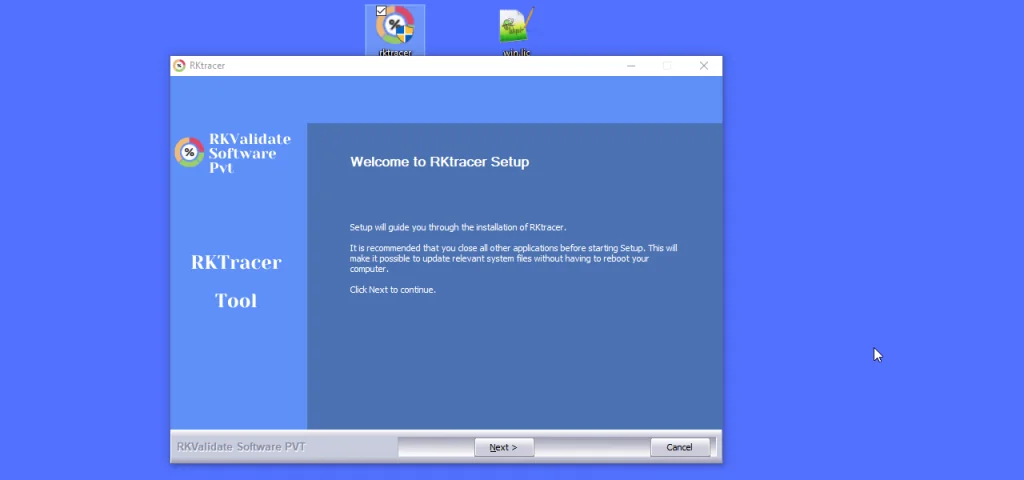
- The installer window appears. Click next.
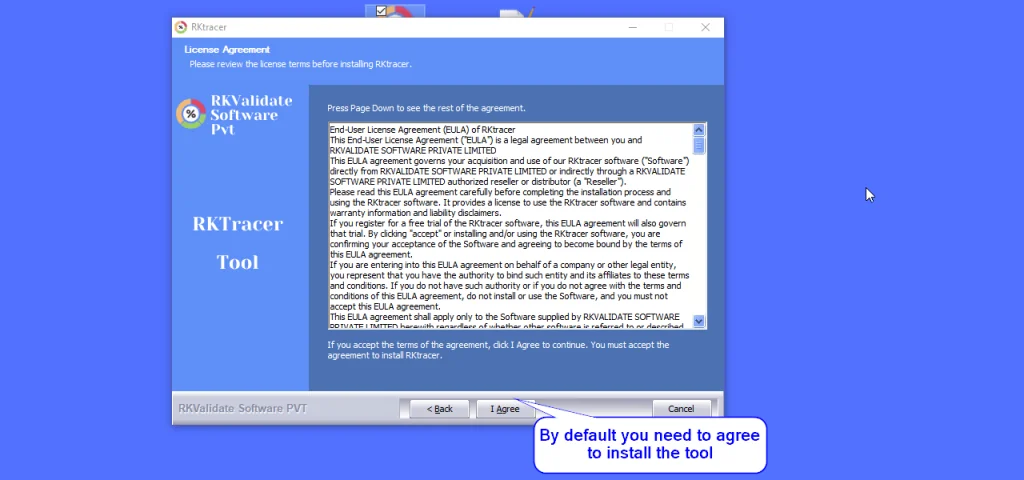
- Review the agreement section and select I Agree to continue.
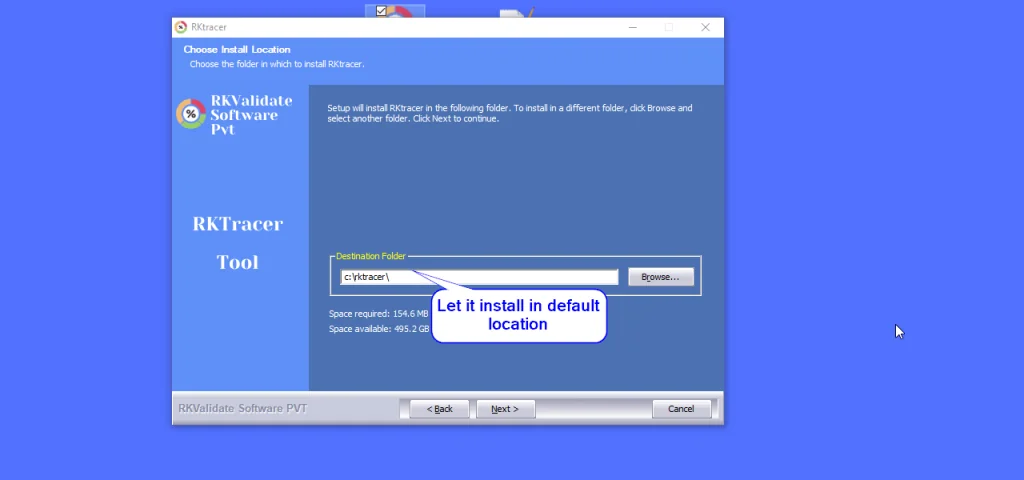
- Confirm the default file location without changes and click next.
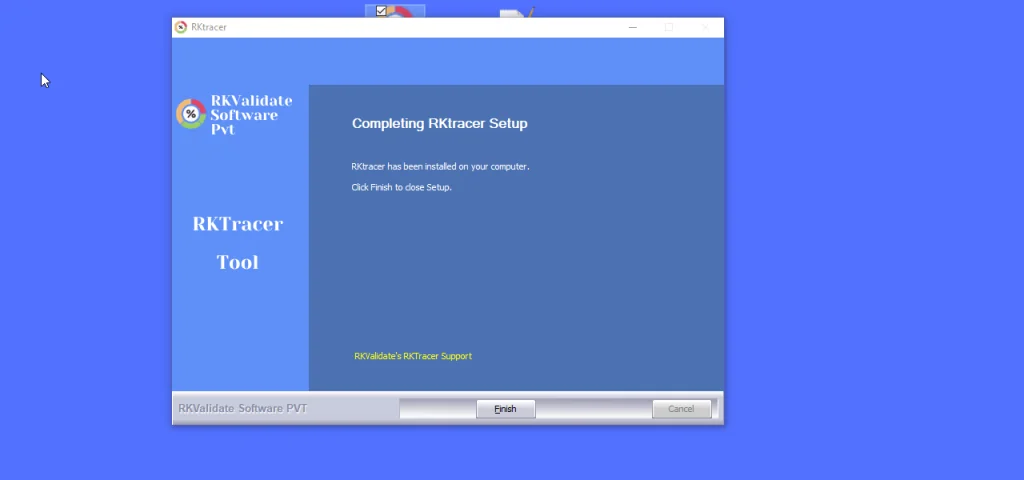
- Follow the remaining instructions and click Finish when the installation completes.
License setup
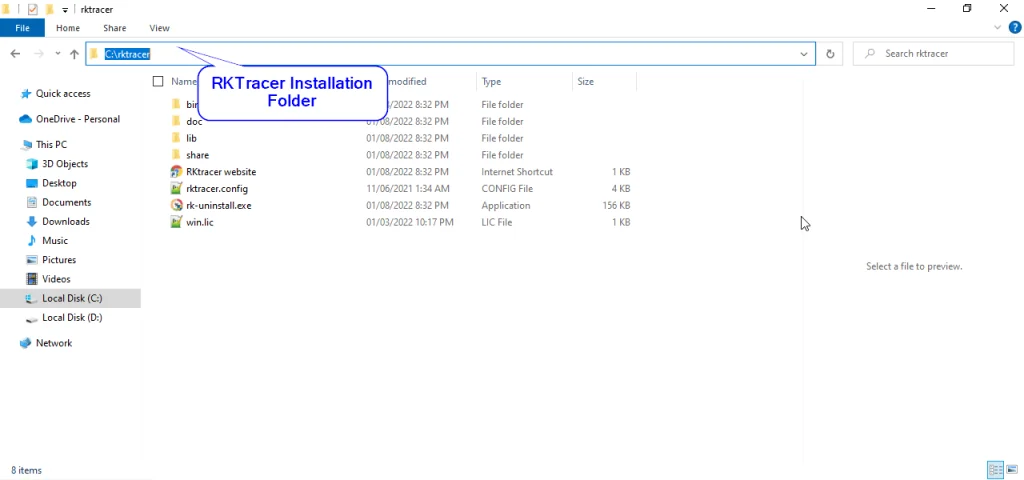
Copy the license file (win.lic) to the RKTracer installation folder.
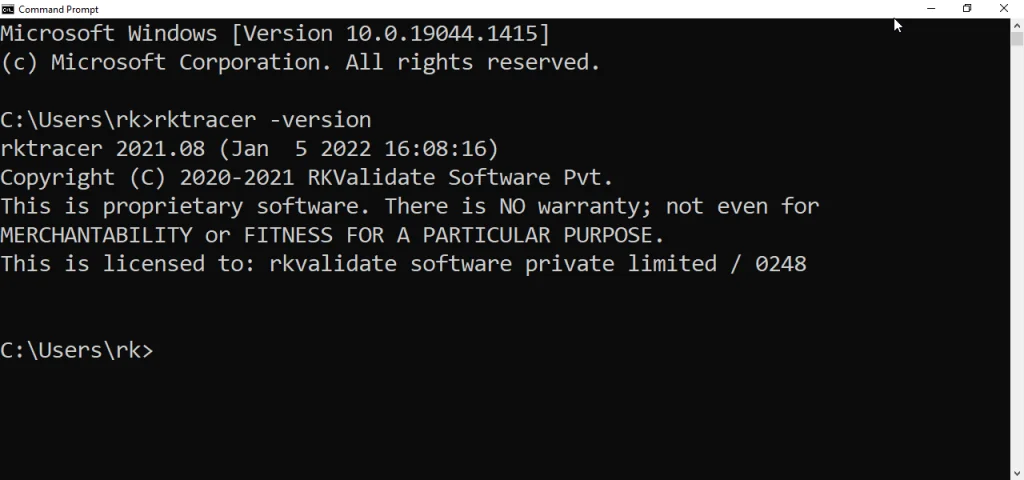
To verify the installation, run the following command:
rktracer -version
When the license is recognized, the output displays the following message:
Expected output
This is licensed to rkvalidate software private limited.